 HyperTUI for Mac
Ask Claude or Codex. See the page behind the answer.
HyperTUI is a native Mac app for marketing teams. Chat about your workspace, and the page the model opened sits beside its reply.
- ZIP
- Apple silicon
- macOS 15 or later
New Mac? Pair it with your workspace before your first chat.
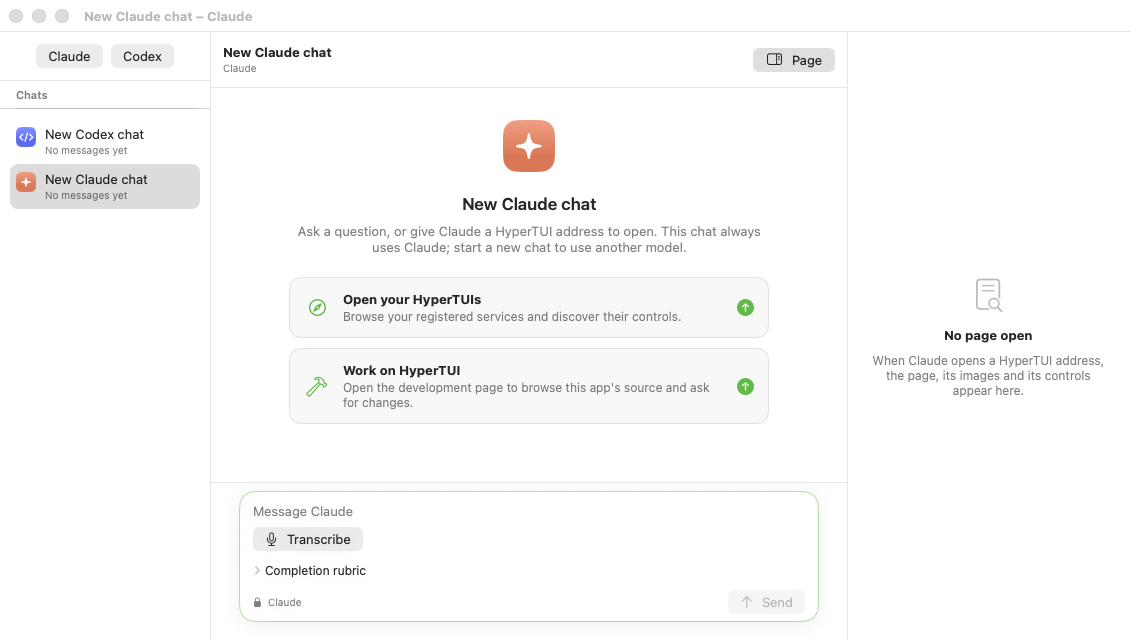
Trace a campaign handoff
One example of a question a marketing team might ask.
-
Ask in your own words
Start a chat with Claude or Codex and ask something like
Who picked up the spring launch handoff, and what is still open?
-
Watch where it looks
The model navigates your workspace to find the handoff. Each step it takes is shown in the chat.
-
Check the page yourself
The workspace page it read opens in the inspector next to the reply, with its address and the controls available on it. You see the source, not just the summary.
Install
No installer to run.
-
Download the ZIP
-
Unzip it
Double-click the ZIP to unpack the HyperTUI app.
-
Move HyperTUI to Applications
Drag the app into your Applications folder.
-
Open HyperTUI
Start it from Applications. If it asks for your role, pick or type one; it tailors your chats and does not change what you can access.
Pairing
A new Mac pairs with your workspace before it can chat.
Installing the app does not give it access to anything. Your workspace owner approves each new Mac; until then HyperTUI opens but cannot start a chat. Ask the person who runs your workspace to pair this Mac.
Claude and Codex run on your workspace's server, so there are no model tools to install on this Mac. You choose the model when you start a chat.
Requirements
- Mac
- Any Mac with Apple silicon. Intel Macs are not supported.
- macOS
- macOS 15 or later.
- Signature
- Developer ID signed and notarized by Apple.
- Updates
- HyperTUI can check for signed updates itself. Update options are in its Settings.